Review what your agent wrote (mokata ide)
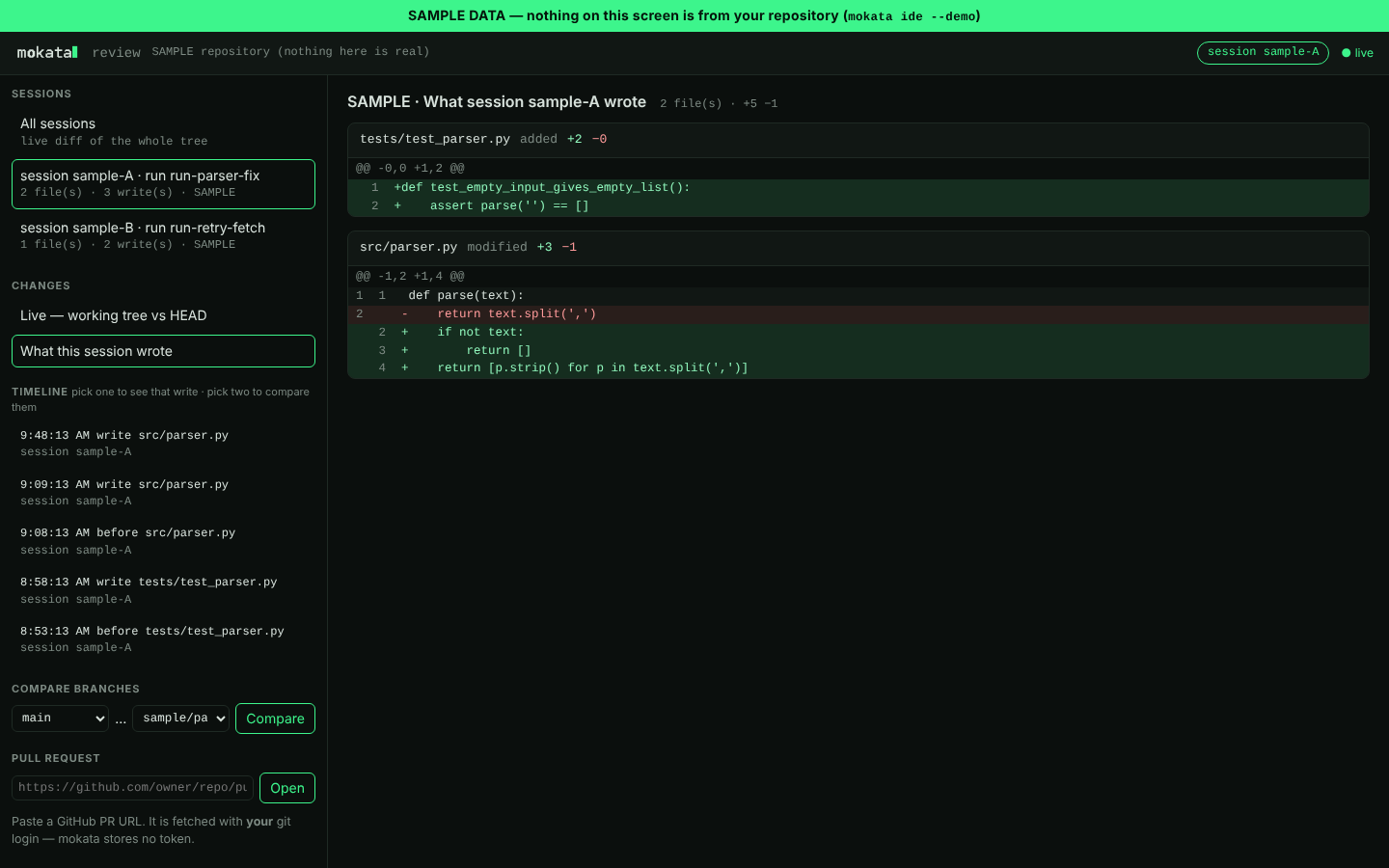
mokata ide opens the review window: a read-only page on your own machine that shows exactly
what changed, who changed it, and when. It is built for supervising agent work — checking a
session's writes before you approve or ship them — not for editing.
Open it
From inside a Claude Code session, type:
mokata's prompt hook opens the window in your browser and focuses it on that session — its run, the files it wrote, its timeline. If a window is already open for the repository, it is re-focused instead of a second one being started. Running several sessions in parallel? Each one is its own row; type the command in a session to point the window at it.
From a terminal:
mokata ide                 # open (or re-focus) the window for this repository
mokata ide --session ID    # focus a particular session
mokata ide --demo          # a clearly labelled SAMPLE dataset, to look around first
The window needs the [ide] extra, which is normally already present with mokata's MCP SDK. If it
is missing, mokata prints the one line to install it: pip install "mokata[ide]".
What it shows
- Live changes — the working tree against
HEAD, uncommitted and untracked files included, updating as sessions write. - What a session wrote — for every file a session touched, its content before the session's first write against its latest one. This is "what is coded by this session", even when several sessions share the repository.
- Timeline — every write a session made, from mokata's own snapshot of the file before and after it. Pick one write to see it, or two to diff any two moments.
- Compare branches —
base...head, the review a pull request shows. - Pull requests — paste a GitHub PR URL. It is fetched with your git login; mokata stores no
token, and it refuses a PR whose repository does not match your
origin.
Every section says what will appear there when it is empty, so a fresh repository is still readable.
What it never does
- It never writes to your repository. The only network call is a PR fetch you ask for.
- It listens on
127.0.0.1only. A one-time pairing link becomes a cookie; requests with the wrong host or origin are refused, and nothing outside the repository is read — not through a symlink, a device file or a pipe. - It does not outlive its use. Started from a session, it exits after 30 idle minutes;
mokata ide --foregroundserves until you press Ctrl-C.
The per-session features need Claude Code 2.1.0 or newer; mokata doctor tells you if yours is
older.
Related
- Watch a run (lanes + dashboard) — the run's progress, as it happens.
- CLI reference:
mokata ide— every flag.